Skip to content
VulnForge
v0.1.0 · alpha · open source · MIT

Find vulnerabilities. Verify them.
Ship reports.

An AI-powered vulnerability research platform that runs the whole workflow — discover, analyze, verify, exploit, disclose — from one open-source app. Solo desktop or team server.

Works offline
Desktop · Docker · bare metal
pipeline.log · live
0
static analysis tools
0
MCP tools
0
AI providers

the autonomous pipeline

From repo URL to reviewed finding — one command.

Every target runs through the same 10-stage pipeline. Parallel where it helps. Pause and resume at any step. No AI required — add it later when you want verification.

  1. 01

    Clone

    Git clone or local path ingest. Detects build system and language.

  2. 02

    Git Analysis

    Commit history, blame, security-relevant commits, contributor mapping.

  3. 03

    Attack Surface

    Entry points, trust boundaries, pre-auth code, externally reachable routes.

  4. 04

    Scan

    48 Python tools + 10 plugins run against the target in parallel.

    parallel
  5. 05

    CVE Hunt

    17 known CVE variant patterns matched across every file.

    parallel
  6. 06

    Config Audit

    Dockerfile, CI/CD, .env, compiler flags, Kubernetes manifests.

    parallel
  7. 07

    Filter

    5-tier false-positive filter: dedup, reachability, heuristics, AI triage, confidence.

  8. 08

    Chain Detect

    Correlate findings into attack chains. Multi-hop taint analysis.

  9. 09

    AI Verify

    Self-consistency verification with calibrated confidence scores.

  10. 10

    Review

    Stage findings for human accept / reject with full context.

stages in purple run in parallel · stages in blue are sequential

three pillars

One platform for the whole workflow.

Static, dynamic, and AI — not three separate tools you have to glue together. They share the same finding graph, the same filter, the same review queue.

Static analysis, deep and wide

48 custom Python tools — memory safety, crypto, protocol, concurrency, supply chain — plus 10 integrated scanners: Semgrep, Trivy, CodeQL, Nuclei, Grype, OSV-Scanner, Bandit, Safety, Nettacker, Garak. Every finding flows through a 5-tier false-positive filter and optional AI triage.

  • 48 Python tools
  • 10 integrated scanners
  • 17 CVE variant patterns
  • Config auditing

Live testing in real sandboxes

Drive candidates into a running environment without leaving the app. Auto-harnessed libFuzzer, scripted gdb with breakpoint asserts, Docker + QEMU VMs with snapshot/resume, tcpdump capture, nmap scanning, angr symbolic execution, radare2 disassembly. Every job pauses, resumes, and attaches evidence to findings.

  • libFuzzer + auto-harness generation
  • gdb sessions, persistent across restarts
  • Docker + QEMU sandboxes with snapshots
  • tcpdump + nmap + angr + radare2

AI copilot, not AI gate

Claude, OpenAI, Gemini, Ollama, Claude CLI — task-based routing with per-task fallback chains. Investigate mode runs step-gated analyses. Everything works with zero AI configured; add providers when you want verification. In team mode, the server proxies keys so they never leave your network.

  • 5 providers
  • 7 routing presets
  • Team-server key proxy
  • No-AI mode works
live testing

Static finds candidates.
Runtime proves them.

Every candidate finding can be driven into a live environment without leaving VulnForge. Fuzz the function. Step it in gdb. Detonate it in a disposable VM. Watch the network. Solve the binary. Then attach the evidence to the finding and move on.

runtime · fuzz.logLIVE
$runtime.fuzz.start target=parse_config
▸ harness: auto-generated from signature parse_config(const char*)
▸ compiled with ASAN + UBSAN, -fsanitize-coverage=trace-pc-guard
▸ corpus: 0 → 2,847 inputs (12m)
● crash: heap-buffer-overflow (length field > capacity)
▸ minimized reproducer saved · finding #2391 created
corpus
2,847
coverage
73%
runtime
12m

isolation

Nothing escapes the sandbox

Exploits run in Docker / QEMU with no network (default), dropped capabilities, and overlay filesystems. Snapshot before each step, rewind if it breaks.

observability

Every step is recorded

Stdout, stderr, syscalls, packets, registers — all streamed to a ring buffer and attached to the finding. Reproducers ship with the report.

composable

Runtime + AI

Fuzz crashes auto-open findings the AI can investigate. Breakpoint asserts turn into hypotheses. Captures feed the protocol analyzer.

the real app

Not a mockup. Actual captures from the shipping UI.

Every image below is a real screen from the app, with research data anonymized at the DOM layer before capture. Structure, colors, and UX are exactly what you get after installing.

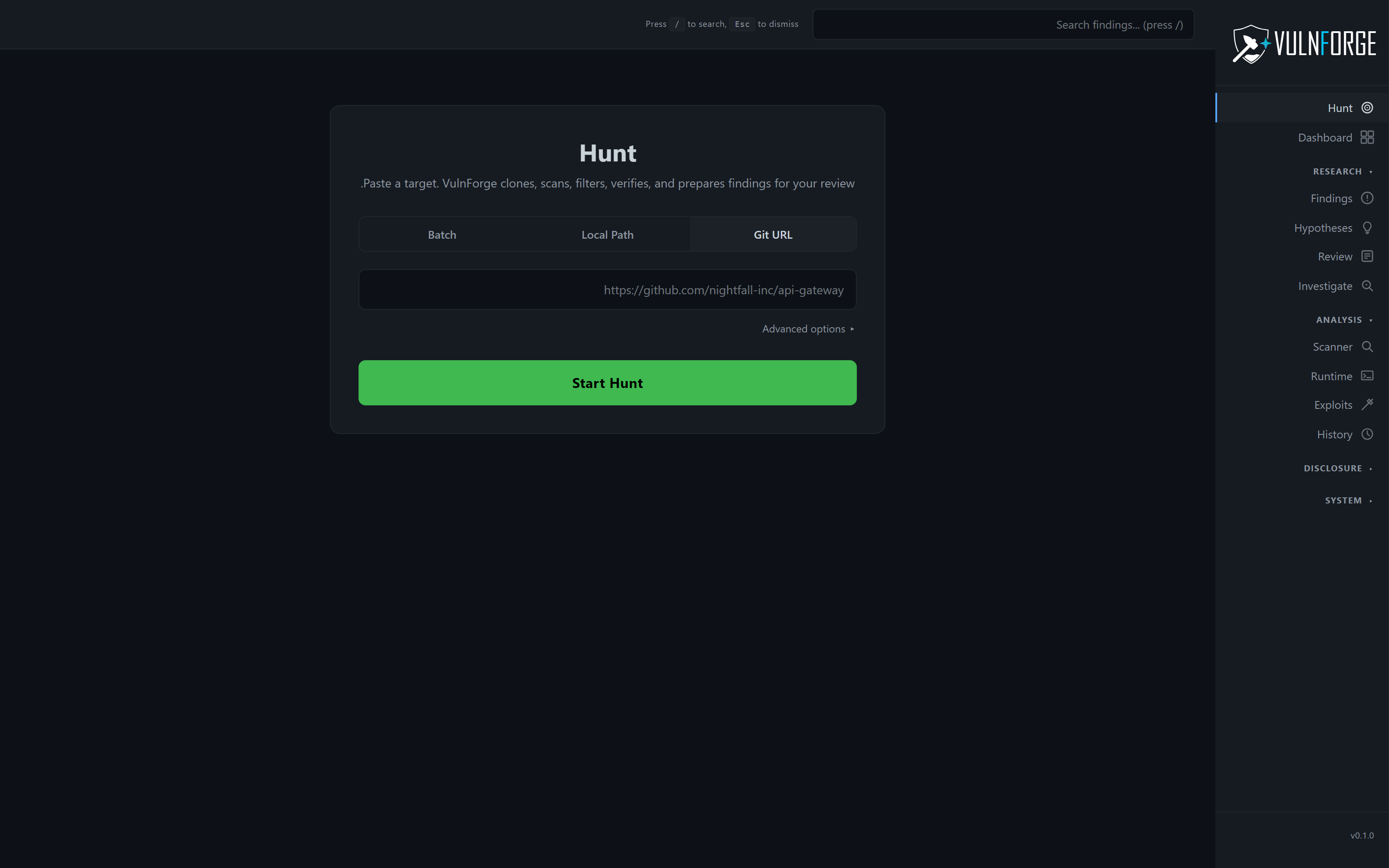
vulnforge · hunt
VulnForge Hunt page — paste a GitHub URL and the pipeline runs end-to-end

plug any AI provider · or none · task-based routing with per-task fallback

Claude
Anthropic API
OpenAI
GPT-4o / o1 / o3
Gemini
Google Gemini 2
Ollama
Local · free
Claude CLI
Agentic SDK
Smart Split
routing preset
Budget
routing preset
All Local
routing preset
Claude
Anthropic API
OpenAI
GPT-4o / o1 / o3
Gemini
Google Gemini 2
Ollama
Local · free
Claude CLI
Agentic SDK
Smart Split
routing preset
Budget
routing preset
All Local
routing preset
MCP · Model Context Protocol

Let any AI agent drive VulnForge.

VulnForge ships an MCP server at /mcp that exposes 101 tools over JSON-RPC + SSE. Claude Code, custom orchestrators, or your own agent can run the whole workflow — pipeline control, findings CRUD, fuzz jobs, disclosure, export — without touching the UI.

  • Pipeline control — start, pause, resume, cancel
  • Findings lifecycle — list, accept, reject, triage
  • Runtime jobs — fuzz, debug, capture, sandbox
  • Export — SARIF 2.1, CVE JSON 5.0
POST /mcp · tools/list
$

three ways to run it

Quick start — pick your deployment.

One codebase, three artifacts. Solo ships as a signed Electron installer. Team runs as a Docker compose service or a bare-metal tarball with a systemd unit.

bash
# 1 · Solo desktop — fully offline
git clone https://github.com/AsafMeizner/vulnforge.git
cd vulnforge
npm install
npm run dev
# open http://localhost:5173
# first-launch wizard → pick "Solo"

architecture at a glance

Local-first. Team-optional.

Every desktop keeps its own SQLite + MCP server — works fully offline. Team mode adds a sync server that proxies AI keys, runs worker-pool scans, and enforces 3-tier privacy scopes. Switch modes without rebuilding anything.

Desktop clientServer (optional)SQLiteMCP :3001/mcpAI providersJira · Slack · GitHub

start hunting

Find what the scanners missed.

Free, open source, MIT licensed. No telemetry, no sign-up, no AI required to get started.